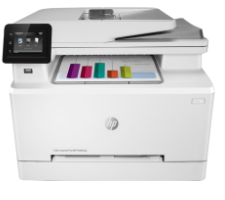
In the realm of efficient printing solutions, HP stands as a cornerstone, consistently delivering cutting-edge technology to meet diverse user needs. The HP Color LaserJet Pro MFP M283fdw is a prime example, offering multifunctionality alongside vibrant color prints. However, to unlock its full potential, obtaining the correct drivers is essential. This article serves as your comprehensive guide to effortlessly download and install the drivers for this impressive device.
Understanding the Importance of Drivers:
Drivers serve as the intermediary between your hardware (printer) and software (computer or mobile device). They facilitate seamless communication, ensuring that your device operates smoothly and efficiently. Without the appropriate drivers, your printer may not function correctly or may not utilize all of its features.
HP Color LaserJet Pro MFP M283fdw Driver Download Guide
| Filename | Size | Download |
|---|---|---|
| Full Software Solution for windows 11, 10, 8.1, 8, 7, Vista, XP 32-bit and 64-bit.exe (Recommended) | 207.69 MB | Download |
| Universal Scan – Full Feature Drivers and Software for Windows 11, 10, 8.1 32-bit and 64-bit.exe (Recommended) | 411.19 MB | Download |
| Universal Scan – Full Feature Drivers and Software for Windows 7 32-bit and 64-bit.exe (Recommended) | 410.79 MB | Download |
| HP Color LaserJet Pro M282-M285 Multifunction Printer series Firmware Update Utility | 79.29 MB | Download |
| HP Universal Scan - Full Feature Software and Driver | 16.35 MB | Download |
Step-by-Step Guide to HP Color LaserJet Pro MFP M283fdw Driver Download:
Step 1: Determine Your Operating System:
Before proceeding, identify the operating system (OS) of your computer or mobile device. Whether it’s Windows, macOS, or a mobile OS like iOS or Android, ensuring compatibility is crucial.
Step 2: Visit the HP Support Website:
Navigate to the official HP support website using your preferred web browser. Once there, locate the ‘Support’ section or use the search bar to find the Color LaserJet Pro MFP M283fdw printer.
Step 3: Locate Drivers and Software:
Within the printer’s support page, locate the ‘Drivers’ or ‘Downloads’ section. Here, you’ll find a list of available drivers and software for various operating systems. Ensure that you select the appropriate OS version.
Step 4: Choose the Correct Driver:
Scroll through the available drivers until you find the one compatible with your operating system. Click on the driver’s name to expand the details and verify its compatibility with your system.
Step 5: Download the Driver:
After confirming compatibility, click on the ‘Download’ button next to the driver. The download process will commence, and depending on your internet speed, it may take a few moments to complete.
Step 6: Install the Driver:
Once the download is complete, locate the downloaded file (usually in your ‘Downloads’ folder) and double-click to initiate the installation process. Follow the on-screen instructions provided by the installation wizard to complete the setup.
Step 7: Test Your Printer:
After successfully installing the driver, it’s time to test your HP Color LaserJet Pro MFP M283fdw printer. Print a test page to ensure that the driver installation was successful and that your printer is functioning correctly.
In the realm of modern printing technology, efficiency and reliability are paramount. The HP Color LaserJet Pro MFP M283fdw stands out as a versatile all-in-one printer catering to the needs of both home and office users. However, to harness its full potential, obtaining and installing the correct drivers is crucial. In this review, we delve into the effectiveness and user-friendliness of the HP Color LaserJet Pro MFP M283fdw Driver Download Guide.
Ease of Access and Navigation:
The journey of obtaining the necessary drivers for a printer can often be cumbersome. However, HP’s driver download guide for the Color LaserJet Pro MFP M283fdw strives to simplify this process. Accessible through the official HP website, the guide is neatly organized, making it easy for users to locate the required drivers swiftly. With clear categorization based on operating systems, including Windows, macOS, and Linux, users can navigate to their respective platforms with minimal effort.
Additional Tips:
Automatic Updates: Consider enabling automatic updates for your printer drivers to ensure you always have the latest version installed.
Manufacturer’s Instructions: If you encounter any difficulties during the installation process, refer to the manufacturer’s instructions or seek assistance from HP’s customer support.
Regular Maintenance: Periodically check for driver updates to optimize performance and security.
In conclusion, downloading and installing drivers for your HP Color LaserJet Pro MFP M283fdw printer is a straightforward process that significantly enhances your printing experience. By following the steps outlined in this guide, you can ensure seamless compatibility and unlock the full potential of your printer.